A Mac teleprompter that puts your script in the MacBook notch so you keep eye contact on camera.
Case study
Live since March 2026 • Mac
The idea
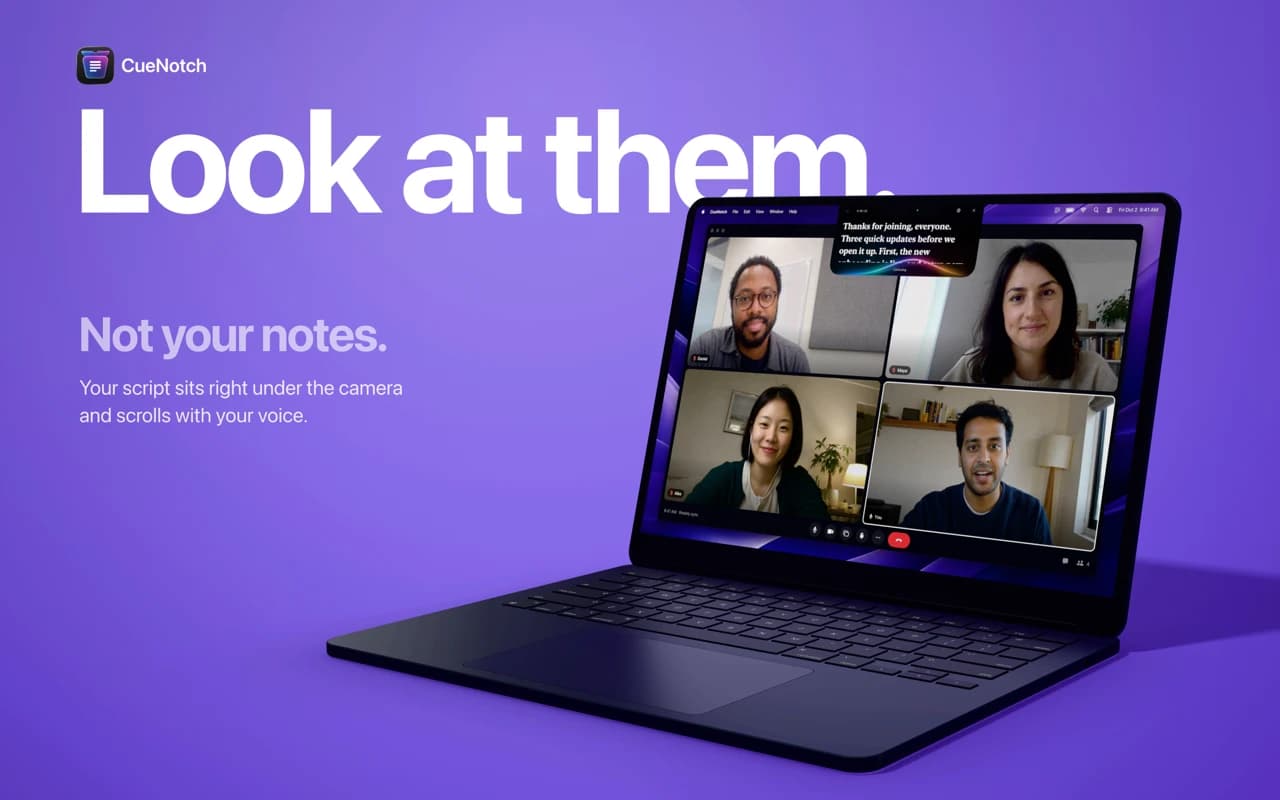
Reading notes on camera means looking away from the people you're talking to. CueNotch turns the MacBook notch into a teleprompter, so your script sits right next to the lens and you keep natural eye contact on calls, presentations, interviews and recordings.
How it works
Write, dictate, paste or import your script, then press Shift-Command-Space or ask Siri to start. The script scrolls at the pace you speak and waits when you pause, so you never rush or lose your place.
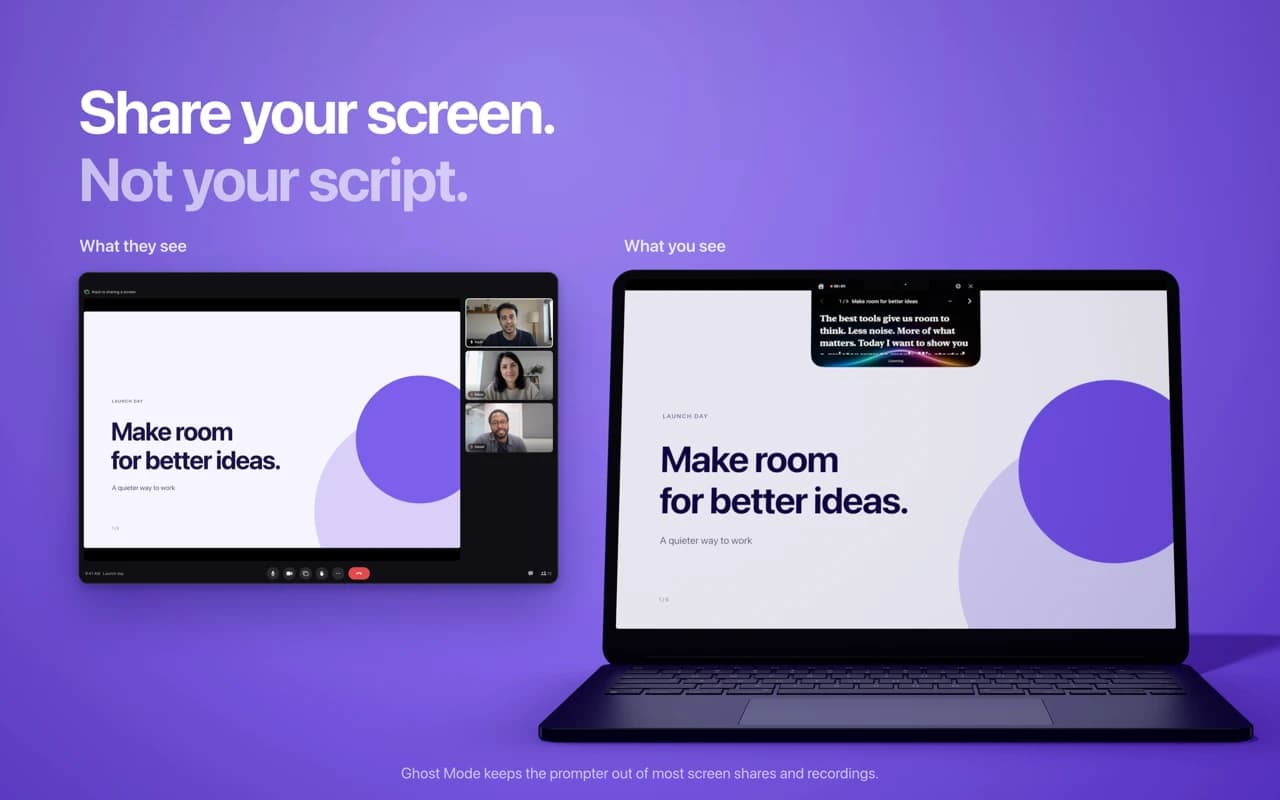
Ghost Mode
The prompter stays hidden when you share or record your screen. You see your script; the people watching don't.
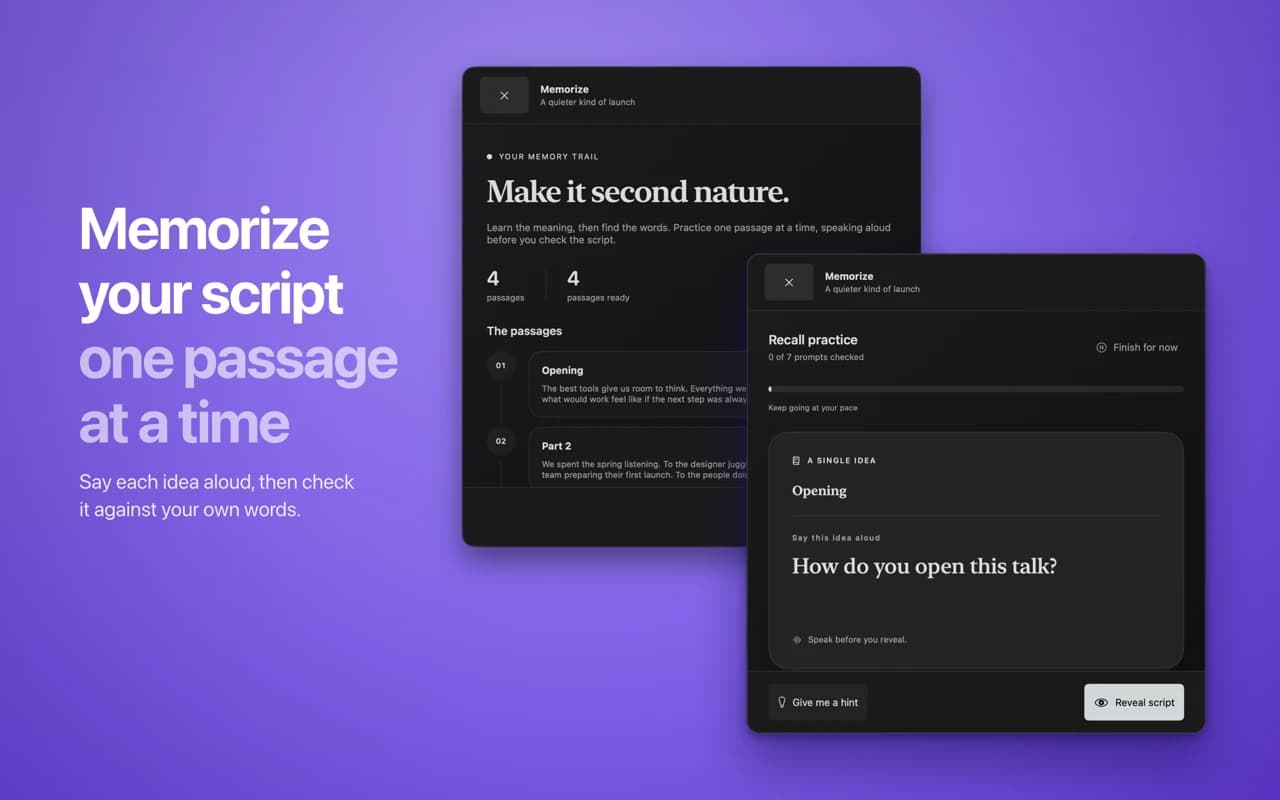
Practice and memorize
Rehearsal Coach gives live cues on pace, pauses, posture and camera presence. Memorize mode breaks long scripts into passages, so you can say each idea aloud and check it against your own words.
Private by design
Scripts stay on your Mac. Magic Polish turns rough notes into a natural spoken script on the device, with Apple Intelligence where available.